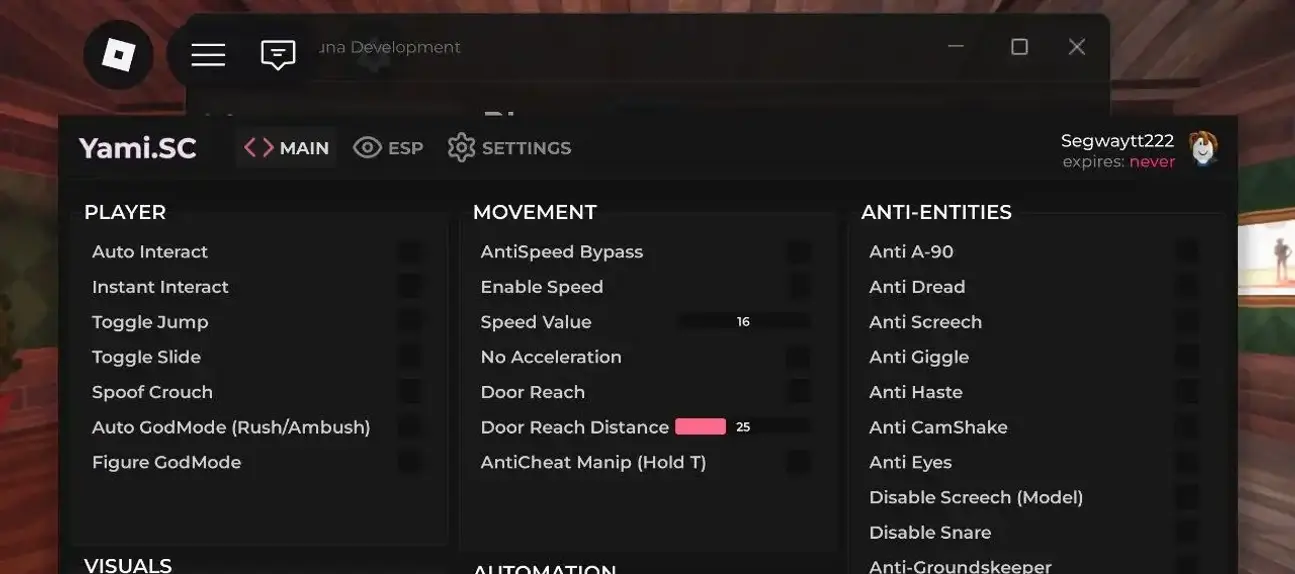
An Animal Hospital menu listing ESP and speed controls.
- Esp
- Speed Boost
No keyReported working
DOWNLOAD.lua
loadstring(game:HttpGet("https://gist.githubusercontent.com/NoxScriptsZeN/336cda8432e2f7b9bf7db6c9cc12fe20/raw"))()Published script entries for Animal Hospital: 1. Read the features, check the key requirement, and copy code or download Lua from the cards.
Choose a game, compare the listed features, and keep the complete code.
An Animal Hospital menu listing ESP and speed controls.
loadstring(game:HttpGet("https://gist.githubusercontent.com/NoxScriptsZeN/336cda8432e2f7b9bf7db6c9cc12fe20/raw"))()No scripts match these filters. Try another game or reset your selection.
Looking for a script for Animal Hospital? Published entries in this collection: 1. Listed features include Esp, Speed Boost. Start by deciding which action matters to your session. The cards provide the actual variants, so compare their descriptions before choosing a familiar name or a promising feature label.
There is currently one published entry for Animal Hospital. Read its own description and controls rather than treating the game name as a complete specification. One script can combine several options, but only the functions attached to that entry should guide your choice.
An Animal Hospital menu listing ESP and speed controls.
The listed functions are Esp, Speed Boost. Its script-key status is No key; this requirement belongs to this exact entry.
The available feature labels for Animal Hospital include Esp, Speed Boost. Read them alongside the individual descriptions. A function listed for one variant does not automatically belong to another, even when both target this game.
For visual functions in Animal Hospital, check what the description says is displayed: players, objects or other information. ESP is a broad label, not a complete list of visible targets. Compare the overlay’s purpose with your task and keep it separate from movement or automation options that may appear in the same menu.
For movement-related options, distinguish the action from the control used to trigger it. Speed adjustments, flight and teleporting are different choices and should be read as described on the actual card. In Animal Hospital, check which movement functions belong to your chosen variant rather than expecting every menu to combine them.
Each published entry in this collection is listed without a script key; the total is 1. That describes the published scripts, not every executor or a different build of the same project. Check the card again when choosing a new variant, since access conditions can differ.
Each card keeps DOWNLOAD above its complete code. Choose it to open the selected script’s download page, wait 15 seconds, and obtain the Lua file. Use Copy when you need the source as text. Preserve the whole block, including comments, quotes and any loader address; the file is source code rather than an executor installer. A saved loader can still depend on an external source.
You can read this collection and obtain code on a PC or phone. Running it is a separate question: check your executor’s documented platform and required functions. A menu that relies on keyboard shortcuts does not automatically support touch. The catalog association with Xeno does not establish a test on every device or executor build.
These other published game collections offer useful comparisons of feature types. Compare their purposes while keeping each game’s code and requirements separate.
Published entries for M.E.G Endless Reality: 1. The catalog includes M.E.G Endless Reality script [Esp, Speed boost], with labels such as Esp, Speed boost. Compare those functions with your goal in Animal Hospital; a similar label is not permission to use the other game’s source interchangeably.
Published entries for Chameleon: 1. The catalog includes Chameleon script [Player ESP, Sprint], with labels such as Player ESP, Sprint, Block. Compare those functions with your goal in Animal Hospital; a similar label is not permission to use the other game’s source interchangeably.
Once you have matched the purpose, game and access requirement, return to the chosen card. Keep its name with the saved source so that future comparisons and error reports refer to the correct variant.
Find your game and compare the scripts available for it.